Making a Linux installation less shitty
This is not exactly a guide. I'm just sharing my experience with Linux.
This post will be updated sometimes.
Install Fedora KDE
Because GNOME sucks.
KDE Plasma provides a more traditional experience. It does not force you to use dumb decisions of its developers. Sure, the KDE Plasma is not perfect, but it is much better than GNOME.
If you prefer automatic tiling, you may want to use Krohnkite, so you don't have to change your desktop environment.
But why Fedora? Well, it's more stable than rolling release distros, and it has much fresher packages than Ubuntu (and especially Debian, lol). There is a really little chance that your Fedora installation will break during an upgrade to a newer release.
And Copr. Despite it has a shitty name, Copr is more comfortable to use than Launchpad.
Use encryption if you install Fedora on a laptop, and it will have a sensitive data, such as passwords.
Adding repositories
After installing, the KDE Plasma will ask you about adding some repositories. Click Yes. Although it does add RPMFusion Non-Free, it does not add RPMFusion Free, which is weird. Install the package from this link.
Next, add the Flathub repository. Enable it in the Discover app. Or open the terminal and do this:
flatpak remote-add --if-not-exists flathub https://dl.flathub.org/repo/flathub.flatpakrepo
I personally don't like Flatpak, but there are no repositories for some packages except Flatpak.
Optionally, you can install the repository called Terra. It provides 1000+ more packages, as it said in that link.
Installing multimedia codecs
Install multimedia codecs from this link.
Changing default apps
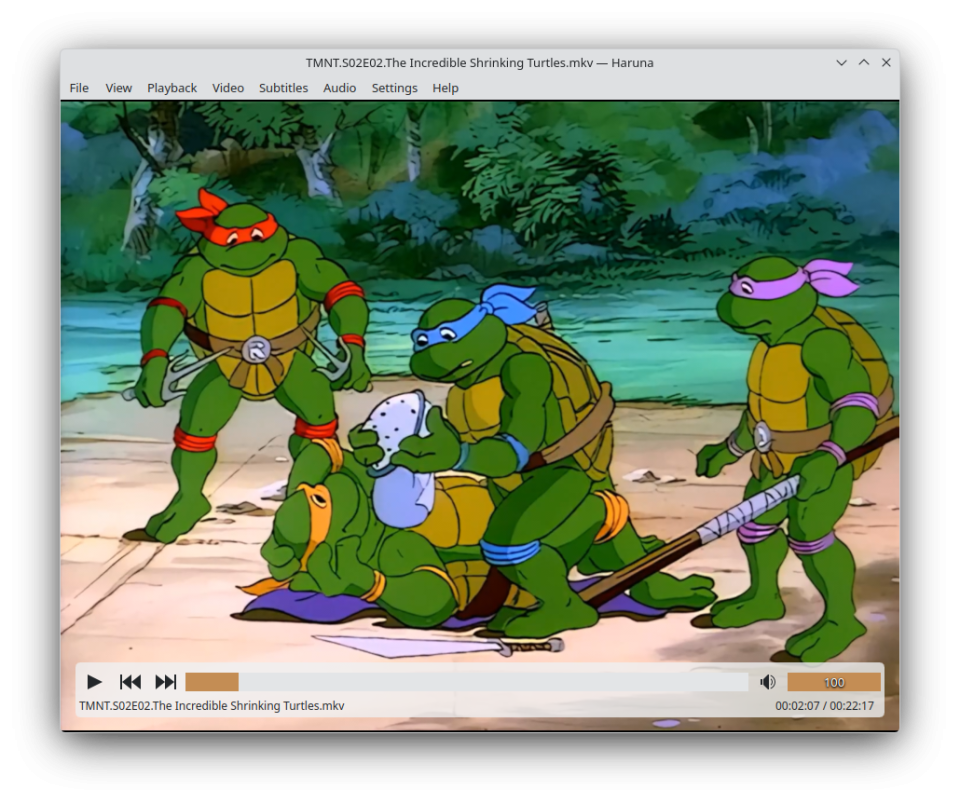
For video, install Haruna and uninstall Dragon Player. I prefer VLC, but it doesn't work well on a 2560x1440 display and Wayland.
Set footer style to floating (Settings - General - Playback - Footer style). It should look like this:
For audio, install Audacious.
For text, install Kate and uninstall KWrite.
For E-Mail, install Betterbird. It has the tray icon and better notifications, than Thunderbird. KMail is totally trash.
For image editing, install Krita. It's more powerful than GIMP.
Customizing KDE Plasma
The KDE Plasma is already good to use. But there are some tweaks for better experience.
Enable Switch to Dark Mode at Night in settings:

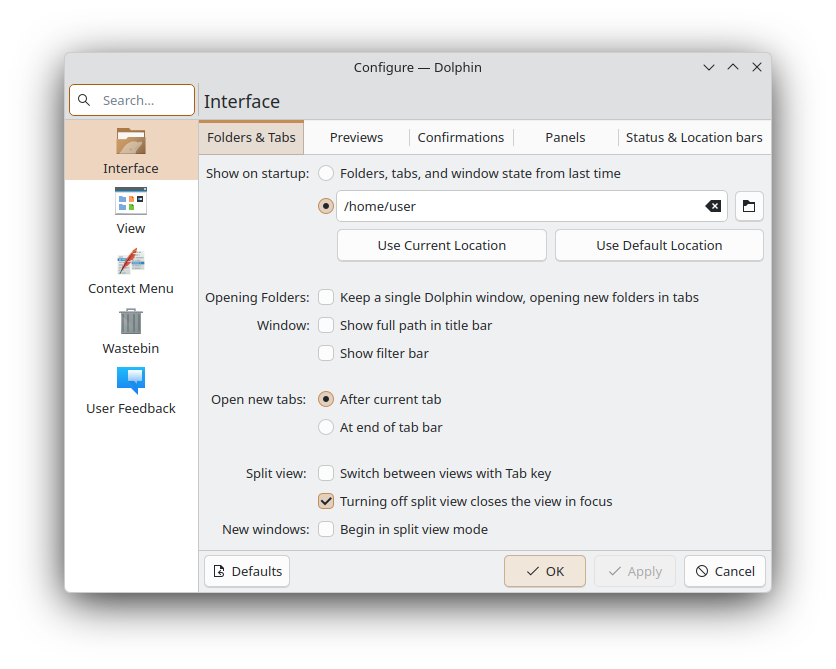
Set the default startup location to your home folder in Dolphin, because the default setting is annoying.
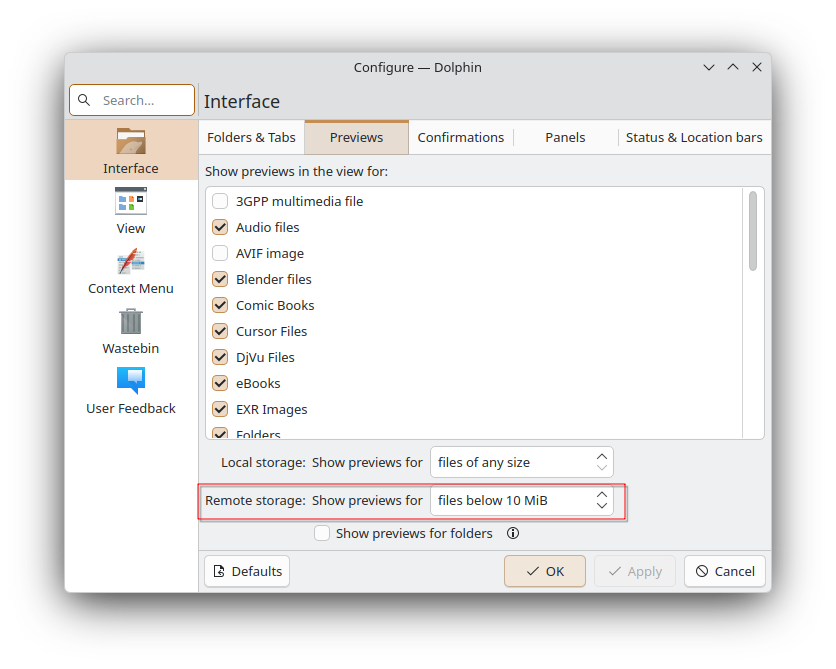
If you use network storages, change this setting to at least 10 MB.
Tweaking Konsole
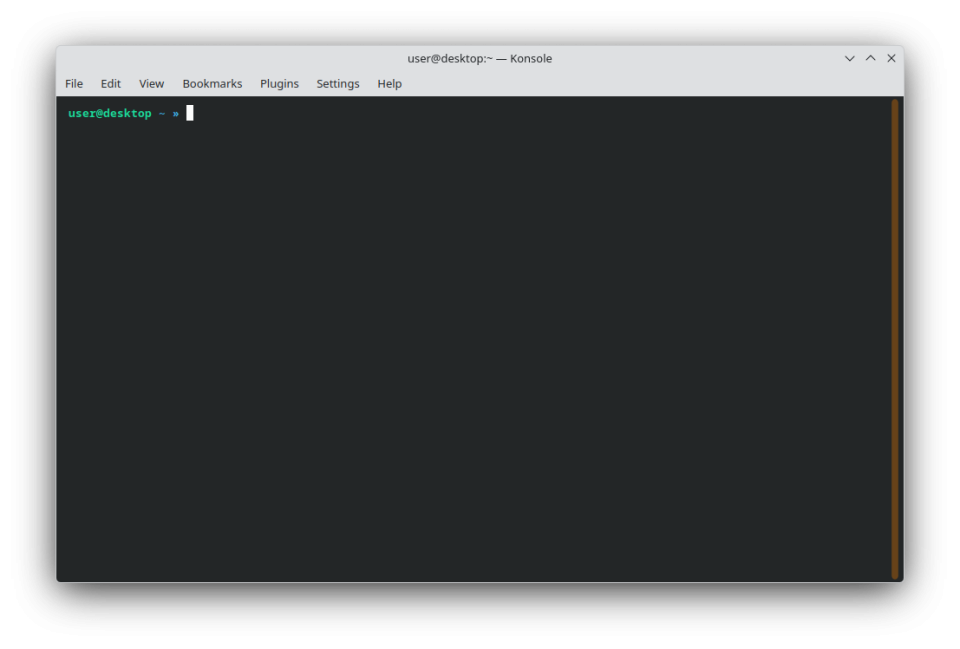
Replace the hamburger menu with menubar, so it should look like this:
Next, install ZSH and Oh My Zsh:
sudo dnf install zsh
sh -c "$(curl -fsSL https://raw.githubusercontent.com/ohmyzsh/ohmyzsh/master/tools/install.sh)"
Change default shell in settings:
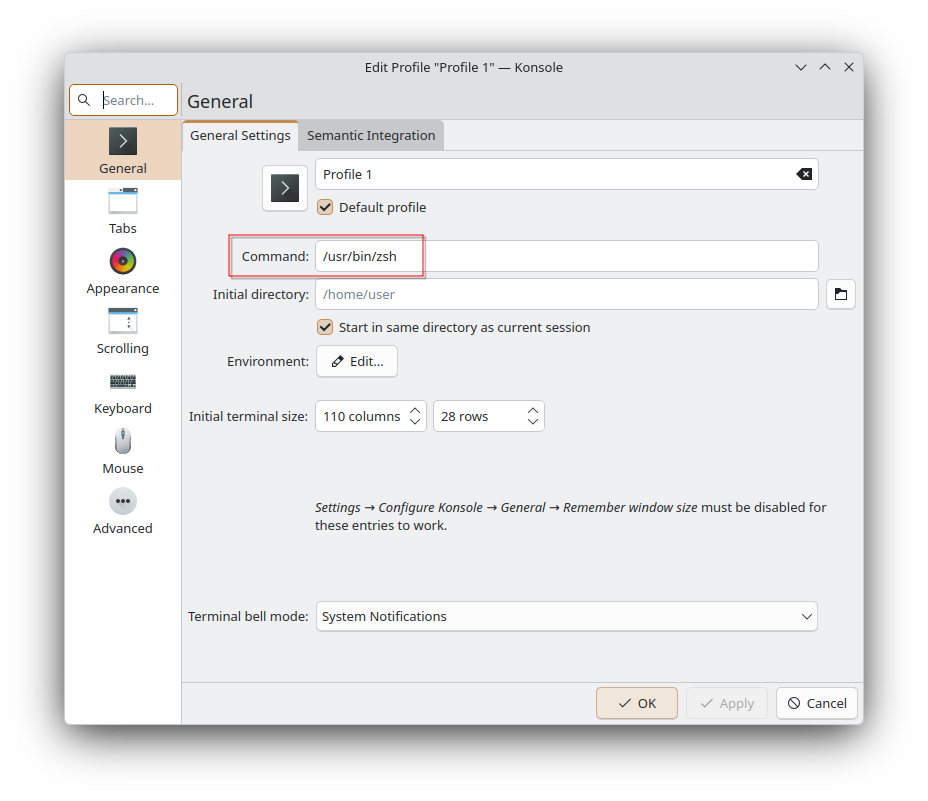
Install zsh-autosuggestions:
git clone https://github.com/zsh-users/zsh-autosuggestions ${ZSH_CUSTOM:-~/.oh-my-zsh/custom}/plugins/zsh-autosuggestions
Enable it in .zshrc:
plugins=(
    # other plugins...
    zsh-autosuggestions
)